Introduction
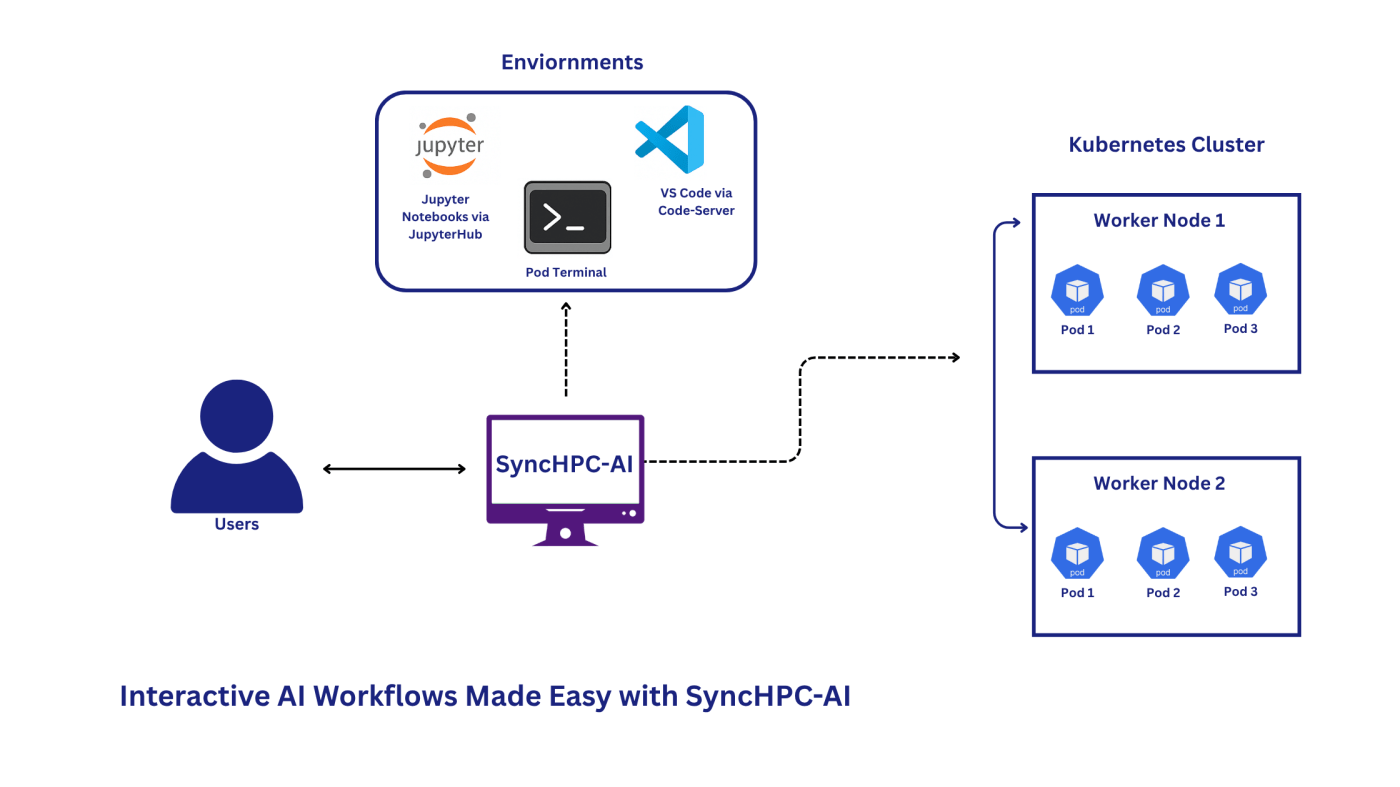
Data scientists and ML engineers need accessibility and ease of use for their development environment. SyncHPC-AI bridges this gap by offering a seamless, browser-based interface to powerful tools like Jupyter Notebooks, VS Code via Code-Server, and Pod Terminals. This blog explores how SyncHPC-AI empowers users to interactively access these tools without the need for complex setups or local installations.
1. Jupyter Notebooks via JupyterHub
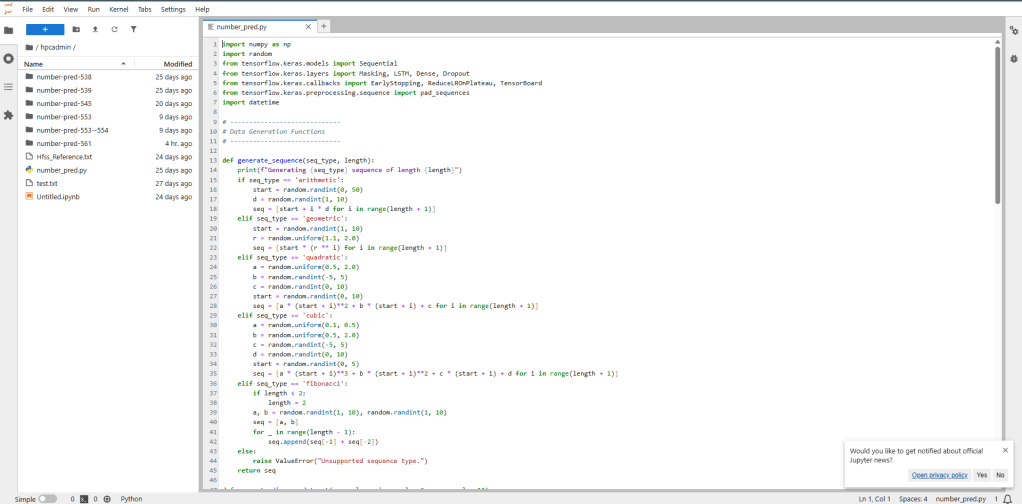
SyncHPC-AI integrates with JupyterHub, allowing users to request and launch Jupyter Notebooks directly from their browser. This is particularly useful for data scientists and researchers who want to:
- Run Python, R, or Julia code interactively.
- Visualize data using libraries like Matplotlib, Seaborn, or Plotly.
- Access HPC resources without leaving the notebook interface.
How it works:
- Users authenticate via the SyncHPC-AI portal.
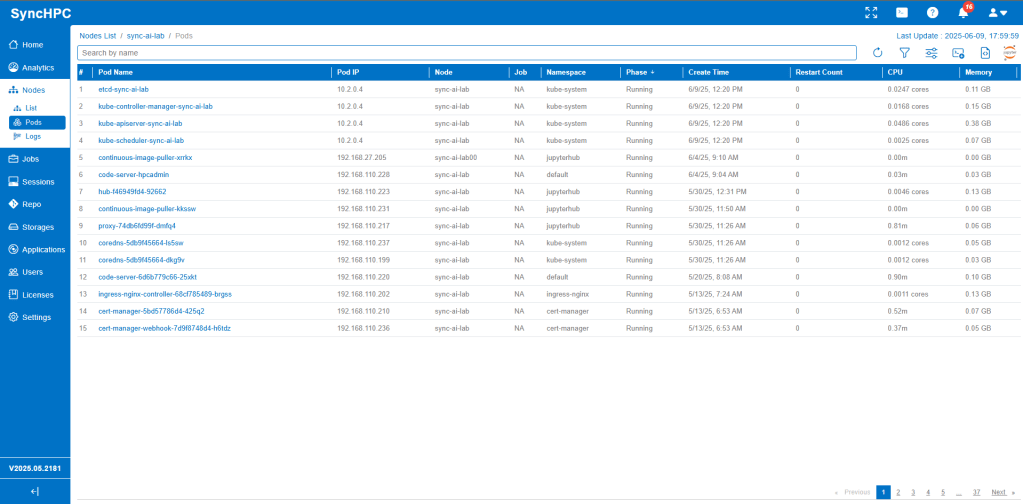
- A Jupyter Notebook is provisioned on a worker node with specific ‘pod’ (container). It can be configured with required computation power (like CPU, GPU and Memory).
- The notebook interface opens in the browser and ready for use.
2. VS Code in the Browser with Code-Server
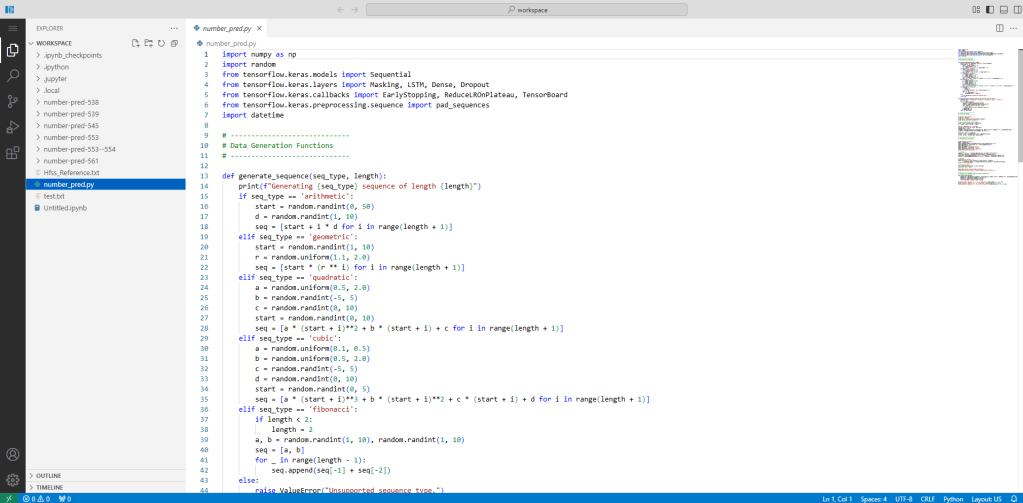
For developers who prefer a full IDE experience, SyncHPC-AI offers Code-Server, a browser-based version of Visual Studio Code.
Key benefits:
- Access your codebase and HPC files from anywhere.
- Use extensions, terminal, and Git integration just like in desktop VS Code.
- No need to install anything locally.
Workflow:
- Launch Code-Server from the SyncHPC-AI dashboard by creating a new ‘pod’ of given specifications (CPU, GPU, Memory).
- Work on your code with full syntax highlighting, debugging, and version control.
- Run jobs or scripts directly from the integrated terminal.
3. Pod Terminal for Direct Shell Access
Sometimes, you just need a terminal. SyncHPC-AI provides Pod Terminal access, giving users a secure shell into their compute environment.
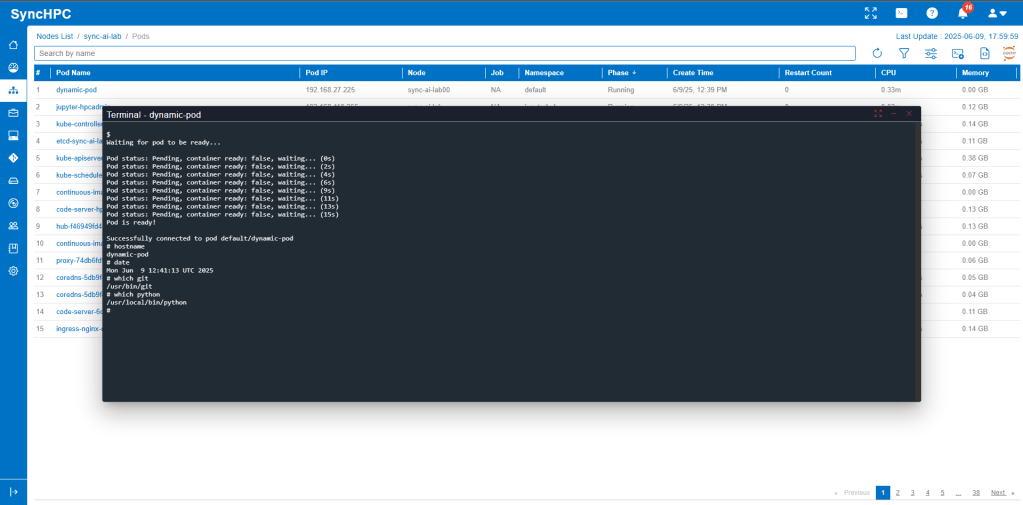
Use cases:
- Run shell scripts or command-line tools.
- Monitor jobs or system performance.
- Manage files and directories on the cluster.
Features:
- Secure, browser-based terminal.
- No SSH client required.
- Integrated with user authentication and resource management.
Conclusion
SyncHPC-AI transforms the HPC user experience by making powerful tools accessible through a simple web interface. Whether you’re coding in Jupyter, developing in VS Code, or managing jobs via terminal, SyncHPC-AI ensures you can do it all interactively and efficiently from your browser.
 blog.syncious.com
Leave a comment