Introduction
In the fast-paced world of machine learning, managing model repositories efficiently is crucial for productivity, collaboration, and reproducibility. One of the key requirements for modern enterprises is to store and manage their Independent AI models and code in secure, private environments ,not just for performance, but for data ownership, regulatory compliance, and IP protection.
This is where local repositories become indispensable. They represent more than just file storage, they are a foundational layer of a Controlled, Independent AI Environment. Owning the entire AI stack from localized data storage to model versioning and orchestration allows organizations to build what is known as Sovereign AI. AI systems developed, deployed, and scaled without reliance on third-party cloud infrastructure or external governance.
By enabling organizations to operate in a sovereign-ready AI environment, SyncHPC-AI ensures that AI innovation happens on your terms securely, independently, and at scale.
SyncHPC-AI introduces a powerful, intuitive solution to streamline the entire lifecycle of ML model repositories right from adding and cloning to managing and deploying all within a seamless local environment.
Key Features of the Model Repository Manager
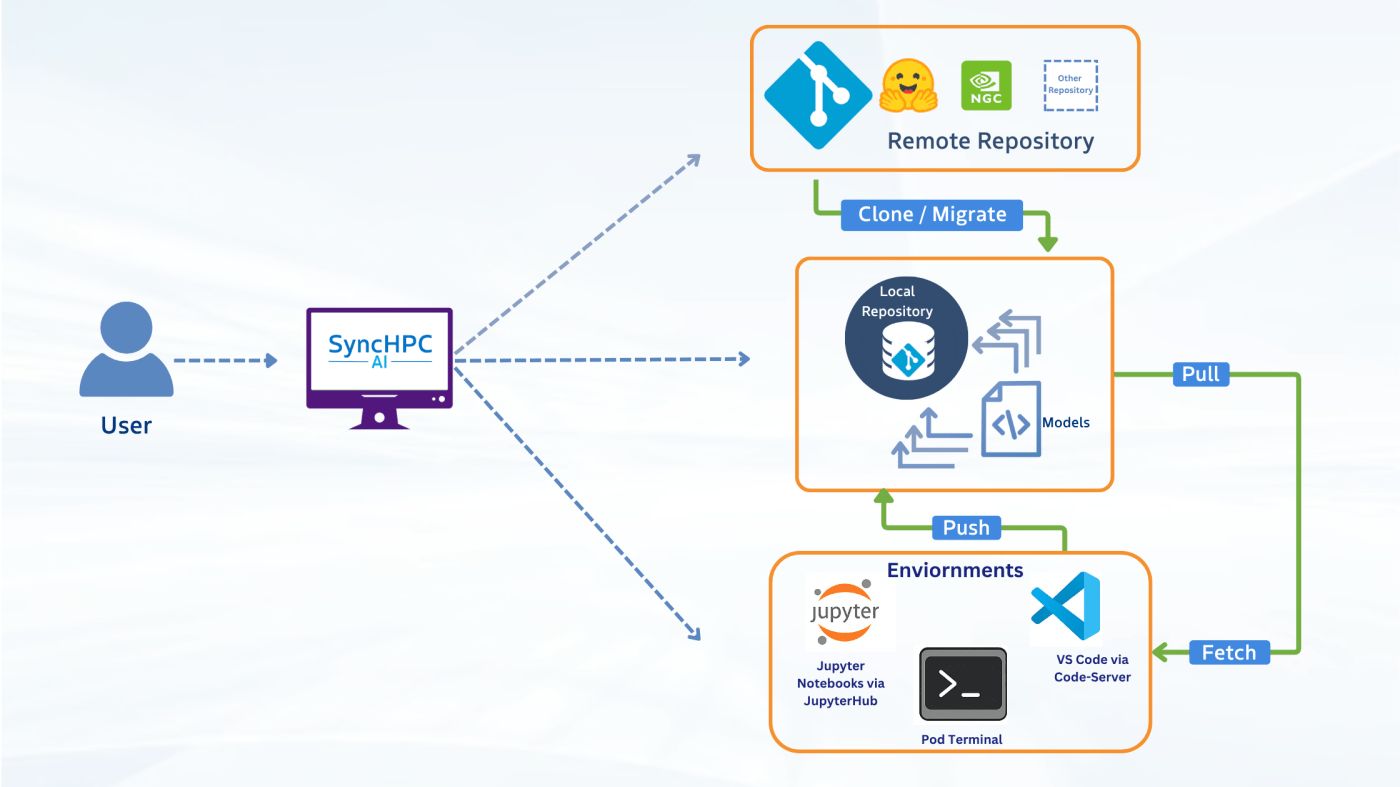
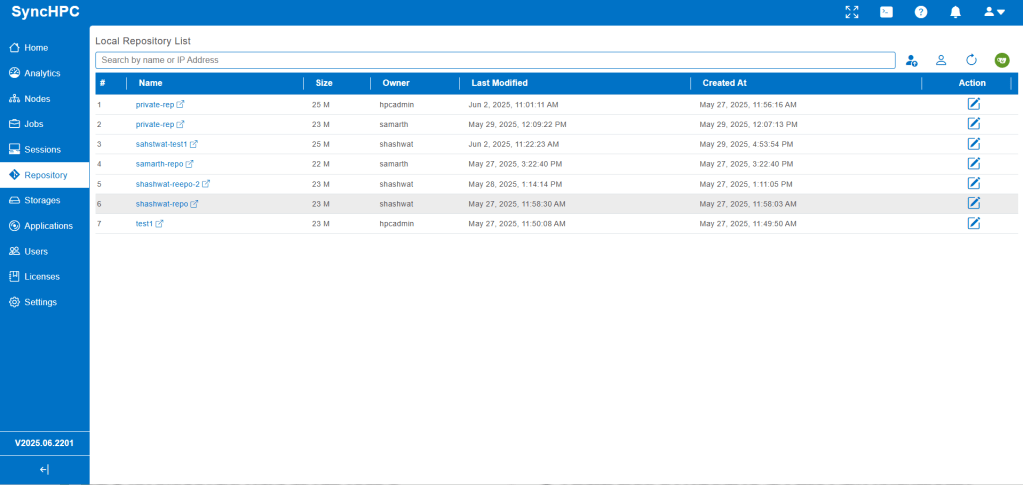
Add Local and Remote Repositories
- Register local repositories for quick access and version control.
- Connect to remote repositories (e.g., Git, Hugging Face, cloud storage) for seamless integration.
Clone/Migrate Remote Models to Local Repositories
- Clone models from Hugging Face or other remote sources with a single click.
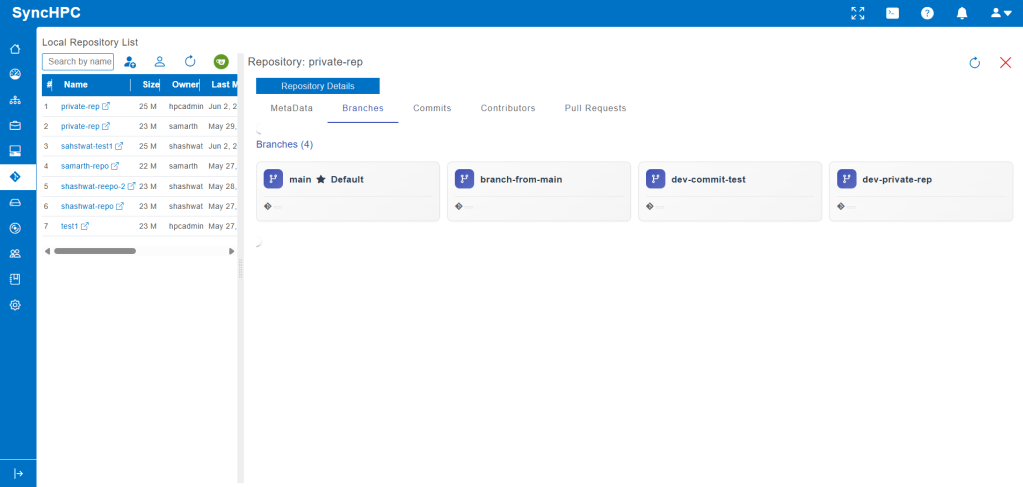
- Maintain version history and metadata for traceability.
Manage the Local Repository Lifecycle
- Version Control: Track changes and roll back to previous versions.
- Metadata Management: Annotate models with tags, descriptions, and performance metrics.
- Pull / Fetch: Pull or fetch models to development environment
- Push: Push updated models from development environment to local repository.
- Deployment Ready: Package and export models for deployment.

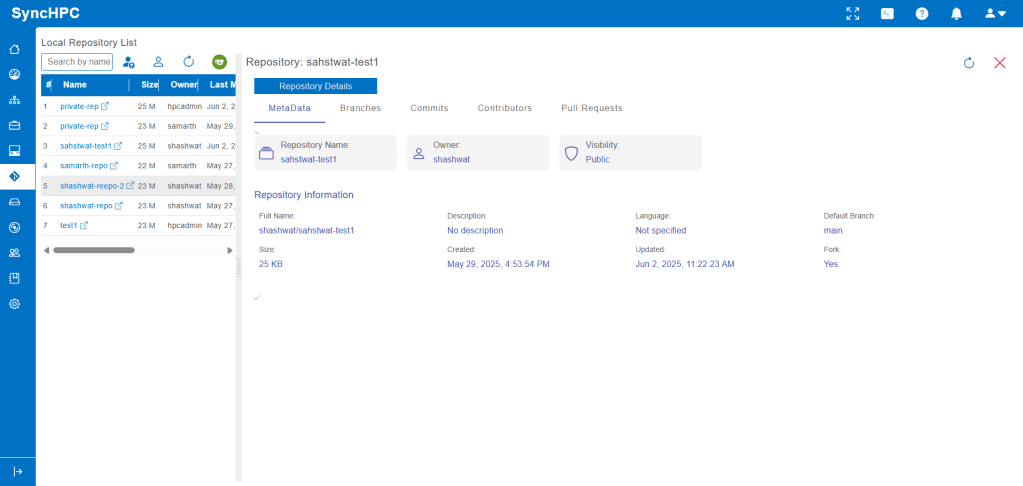
Intuitive Browser Interface
- Visual dashboards for repository insights.
- Integrated terminal and editor for advanced users.
Example: Cloning and Managing a Hugging Face Model
Let’s walk through a real-world example using SyncHPC-AI:
Step 1: Clone a Model from Hugging Face
- Open the SyncHPC-AI browser interface.
- Navigate to the Model Repository Manager.
- Click “Add Remote Repository” and paste the Hugging Face model URL (e.g.,
https://huggingface.co/bert-base-uncased). - Click “Clone to Local” SyncHPC-AI will fetch the model and store it in your local repository.
Step 2: Train or Fine-Tune the Model
- Select the cloned model in your local repo.
- Click “Launch Training”.
- Choose your dataset, configure hyperparameters, and start training.
- SyncHPC-AI logs training metrics and automatically versions the updated model.
Step 3: Update and Version the Model
- After fine-tuning or retraining, click “Push as New Version”.
- Add notes, tags, and performance benchmarks.
- The model is now versioned and ready for deployment or further experimentation.
Why SyncHPC-AI?
Managing ML models is more than just storing files it’s about ensuring reproducibility, collaboration, and scalability. SyncHPC-AI bridges the gap between data science and DevOps by offering a unified platform that supports the full model lifecycle.
Get Started Today
Ready to take control of your ML model repositories? Explore and experience to build Private AI Development Environment using SyncHPC-AI
Visit http://www.syncious.com to learn more and request a demo.
 blog.syncious.com
Leave a comment