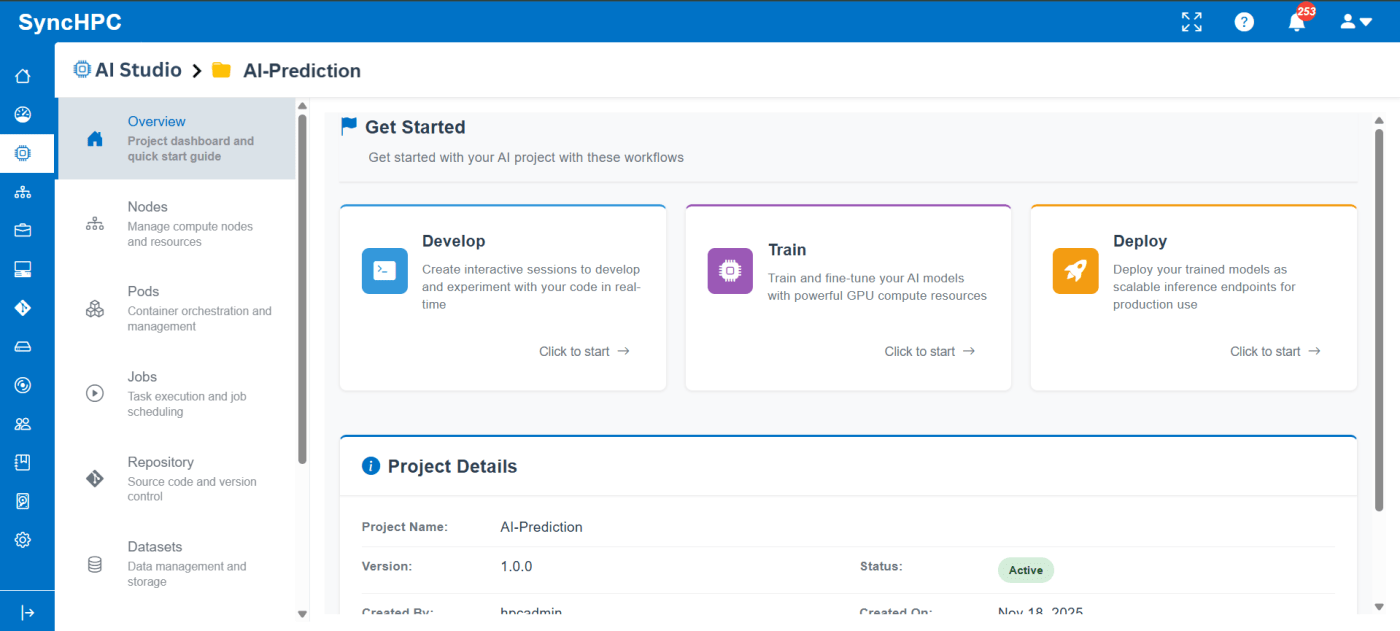
Building, training, and deploying AI/ML models often involves multiple disconnected steps environment setup, dataset management, compute allocation, job execution, and result tracking. SyncHPC simplifies this entire lifecycle by providing guided, UI-driven workflows that help users move seamlessly from development to training and inference.
This blog walks through three core workflows in SyncHPC:
- Creating AI/ML development environments
- Running AI/ML training jobs
- Managing datasets for training and inference
The first step in any AI/ML project is setting up a development environment. SyncHPC removes the complexity of manual configuration by offering pre-defined, ready-to-use environment templates.
Create or Select a Project
Each AI/ML workflow begins within a project. A project acts as a centralized workspace that holds:
- Development environments
- Datasets
- Training and inference jobs
- Logs and outputs
This structure ensures better organization and collaboration.
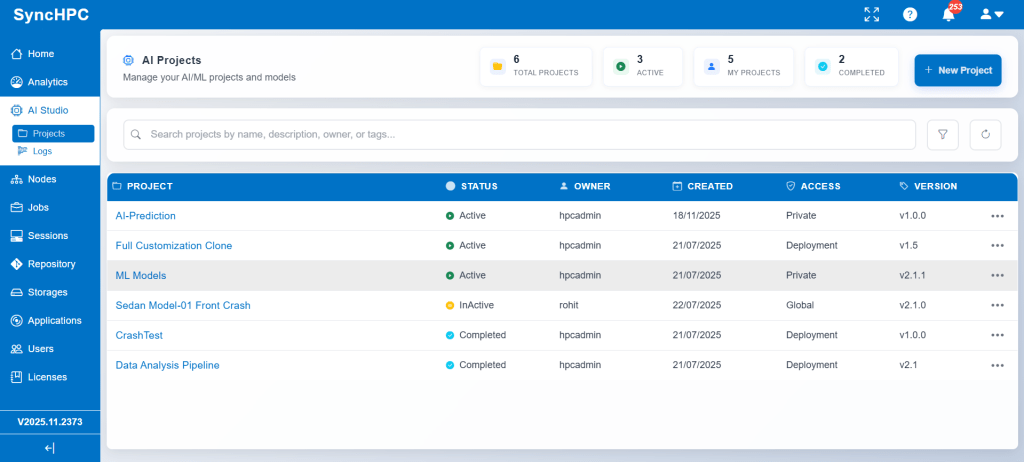
1. Workflow for Developing & Creating Environments for AI/ML Training and Inference
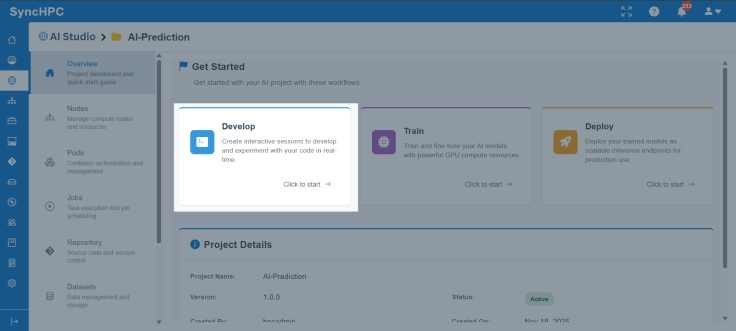
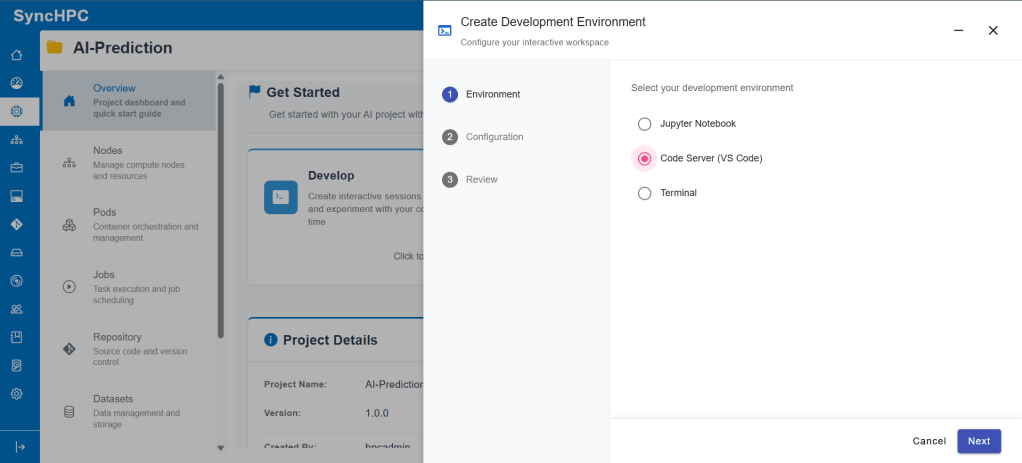
Step 1: Choose a Development Environment
SyncHPC provides multiple interactive environment options, such as:
- VS Code for development and scripting
- Jupyter Notebook for experimentation and analysis
- Terminal-based environments for advanced users
These environments are pre-configured with required dependencies, reducing setup time and eliminating compatibility issues.
Step 2: Configure Compute Resources
Once the environment is selected, users configure compute resources:
- CPU cores
- GPU allocation
- Memory
- Storage
This allows users to tailor resources based on workload requirements, whether lightweight experimentation or GPU-intensive training.
Step 3: Launch the Environment
After configuration, the environment can be launched instantly. Users are taken directly into their selected interface (Jupyter or VS Code), ready to write code, explore data, and prepare training scripts.
This environment is later reused for both training and inference workflows, ensuring consistency across the AI lifecycle.
2. Workflow for AI/ML Training Job
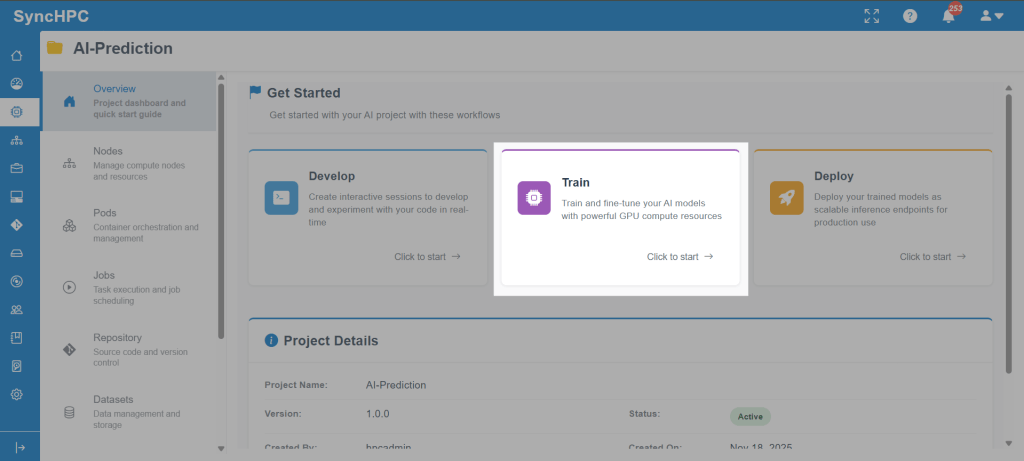
Once the environment and scripts are ready, users can move to model training using SyncHPC’s structured AI/ML Training Job workflow.
Step 1: Create a Training Job
From within the project, users select Create Training Job. This opens a guided configuration panel for defining the training parameters.
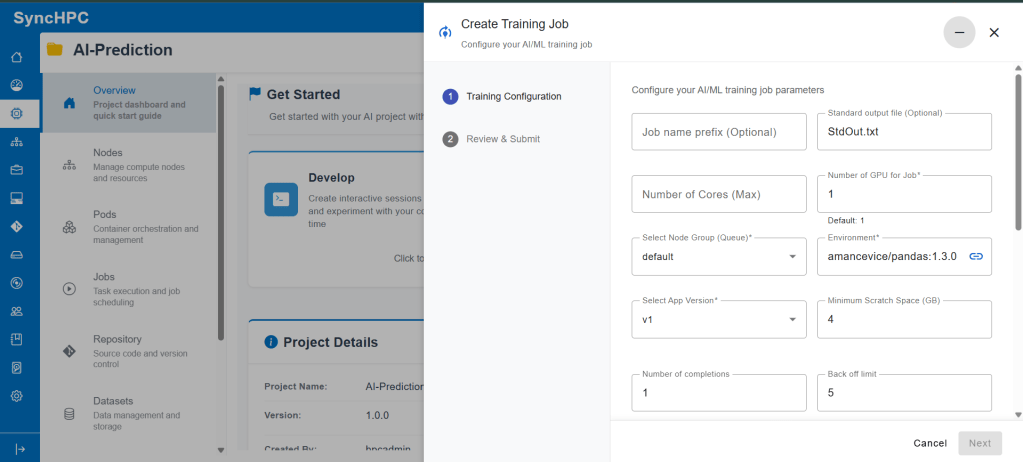
Step 2: Configure Training Parameters
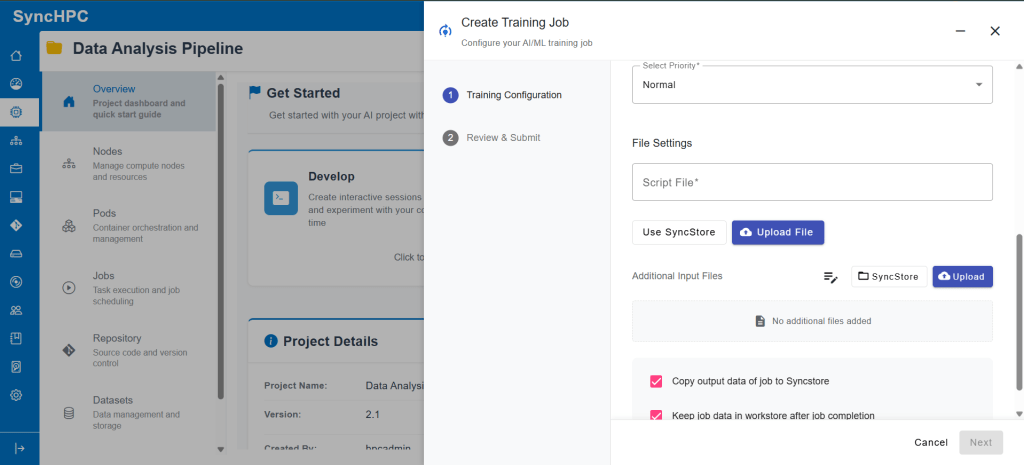
Training Resources
Specify the compute resources required for your workload, including:
- Number of CPU cores
- Number of GPUs
- Node group for controlling hardware placement
Selecting the right resources ensures optimal training performance and efficient cluster utilization.
Select the Runtime Environment
Choose a container image that includes all required libraries and dependencies for your training job.
A consistent runtime environment ensures reliable execution across both development and production workflows.
Define the Training Script
Provide the training script file that contains the model training logic.
This script acts as the entry point for the job and is executed within the selected container environment.
Add Additional Inputs
Use the additional fields to pass runtime configurations such as:
- Environment variables
- Command-line arguments
- Experiment metadata
These inputs enable flexible customization without requiring changes to the training scriptred.
Step 3: Review & Submit
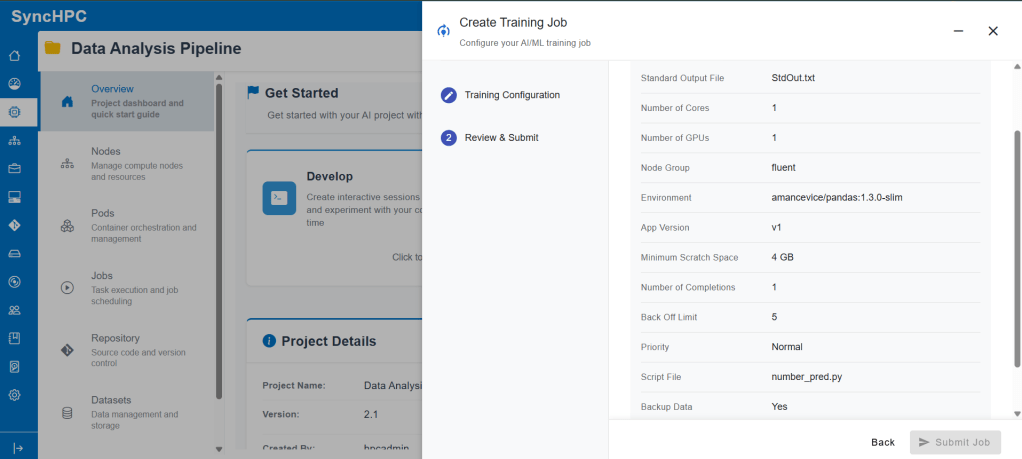
Before submission, a review screen summarizes:
- Selected resources
- Environment
- Job settings
Once confirmed, the job is submitted and scheduled automatically by SyncHPC’s backend orchestration engine.
Step 4: Monitor Training Execution
After submission, users can:
- Track job status
- View logs
- Access output artifacts
- Monitor resource usage
This visibility helps users debug issues quickly and ensures reliable experimentation.
3. Dataset Options for AI/ML Training and Inference
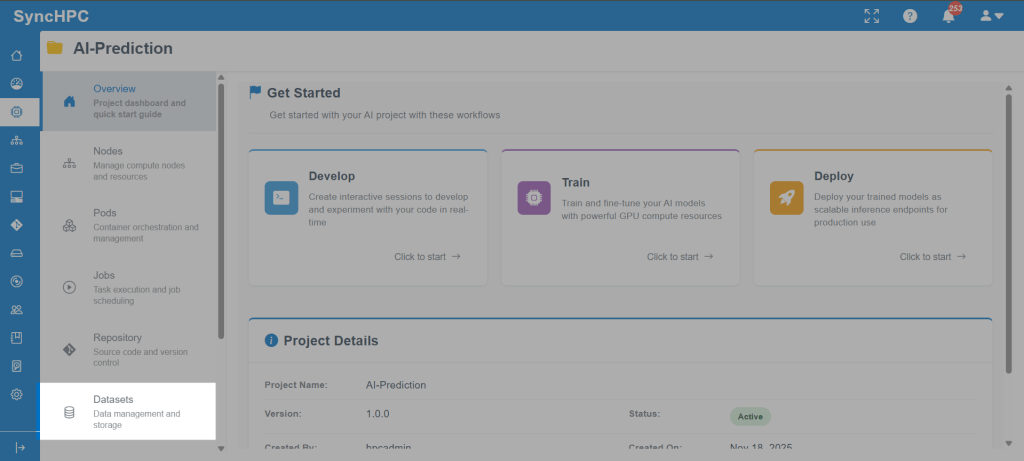
Data plays a central role in AI/ML workflows. SyncHPC provides a flexible dataset management system that supports both new dataset creation and reuse of existing datasets.
Option A: Create a New Dataset
Users can create a new dataset directly from the Datasets section.
The platform supports:
- CSV
- JSON
Datasets can be uploaded from local storage or fetched from SyncStore.
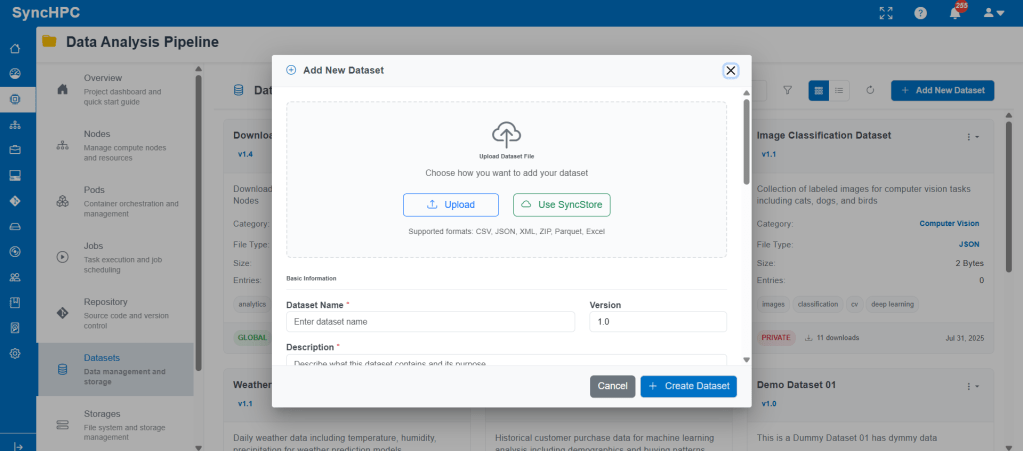
Each dataset includes:
- Dataset name
- Versioning
- Description
- Category (NLP, CV, Analytics, etc.)
- Visibility (Global / Private)
Option B: Use Existing Datasets
Previously uploaded datasets appear in the dataset library and can be reused across:
- Training jobs
- Inference jobs
- Multiple projects
This avoids duplication and ensures consistency across experiments.
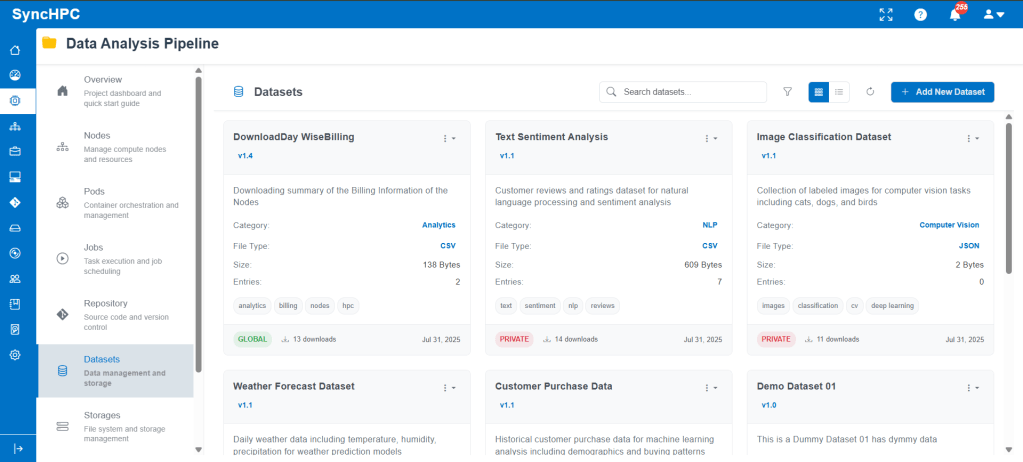
Using Datasets in Training and Inference
During training or inference job creation, users can simply select the required dataset from the list. The selected dataset is automatically mounted to the job environment, making data access seamless.
This unified approach simplifies collaboration and accelerates experimentation.
Conclusion
SyncHPC delivers a streamlined, end-to-end AI/ML workflow that simplifies environment creation, dataset management, training, and inference. By combining guided UI flows with powerful backend orchestration, the platform enables researchers, students, and enterprises to focus on building models not managing infrastructure.
Whether you’re experimenting in Jupyter, training models at scale, or running inference on new data, SyncHPC provides a consistent, intuitive, and scalable experience throughout the AI lifecycle.
 blog.syncious.com
Leave a comment