Introduction
What is VDI ?
VDI, or Virtual Desktop Infrastructure, is a technology that hosts desktop environments on a centralized server. Instead of running the operating system, applications, and files locally on a user’s device, everything is virtualized and managed from a central location.
Virtual Desktop Infrastructure (VDI) has revolutionized the way organizations deliver desktop environments to their users. In an era where remote work and flexibility are paramount, VDI enables users to access their desktop environment and applications from anywhere, on any device. At the heart of this technology lies a crucial component that often goes unnoticed but plays a vital role in the user experience – the VDI protocol.
Think of VDI protocols as the invisible highways that transport your keystrokes, mouse movements, and screen updates between your device and the remote desktop. Just as different types of roads serve different purposes – from local streets to expressways – various VDI protocols are designed to meet different needs and scenarios. Whether you’re a graphics designer requiring pixel-perfect display quality, a remote worker dealing with limited bandwidth, or an IT administrator managing thousands of virtual desktops, choosing the right protocol can make the difference between a seamless experience and a frustrating one.
Types of VDI protocols :-
1. RDP (Remote Desktop Protocol):
– Ideal for basic tasks and Windows-based environments.
– Example: Administrative users managing reports or performing routine tasks.
2. VNC (Virtual Network Computing):-
– Platform-agnostic and simple to deploy.
– Example: Cross-platform IT teams requiring remote troubleshooting access.
3. PCoIP (PC-over-IP):-
– High-performance protocol for graphics-intensive tasks.
– Example: Media professionals editing high-resolution videos or rendering complex graphics.
4. NICE DCV:-
– Designed for low-latency, high-definition 3D visualization.
– Example: Engineers working on CAD projects or radiologists analyzing 3D medical imaging.
5. SPICE (Simple Protocol for Independent Computing Environments):-
– Lightning-fast graphics and video performance through smart acceleration and compression, making virtual desktops feel local.
– Example: Education Lab: Students access development tools and hardware projects from any device, with perfect multimedia sync
How SyncHPC VDI Stands Out ?
SyncHPC VDI goes beyond traditional solutions, offering:
1. Protocol Flexibility:-
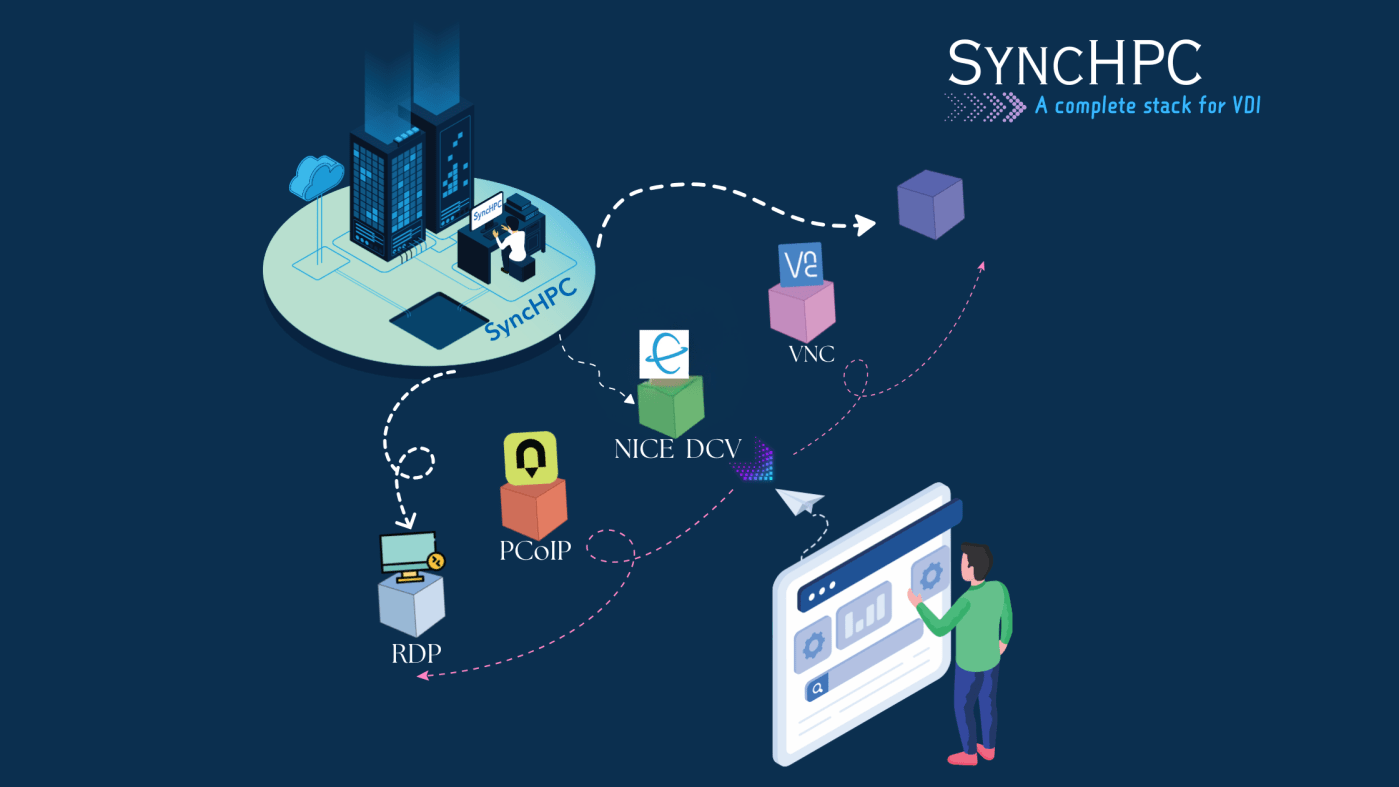
– SyncHPC VDI Supports RDP, VNC, PCoIP, and NICE DCV to cater to diverse use cases.
– Allows admins to assign protocols at both individual and deployment levels.
– Tailor the protocol based on user-specific needs.
– Example: Developers use RDP for coding, while designers leverage NICE DCV for rendering tasks.
Deployment-Level Protocol Assignment:
– Customize protocols for different departments or projects.
– Example: An engineering team uses NICE DCV for simulations, while the HR team operates on
RDP.
Dynamic Adjustments:
– Adapt to changing workloads with ease.
– Example: Switch to PCoIP during peak usage for creatives and reallocate RDP for general users.
2. User-Centric Design
– Provides users with an intuitive interface to request and access sessions effortlessly.
3. Deployment Versatility
– Adaptable for both cloud-based and on-premises deployments.
4. Optimized Resource Management
– Dynamic protocol allocation ensures efficient resource utilization.
Conclusion :-
SyncHPC VDI delivers a seamless virtual desktop experience that adapts to your needs, whether you’re working from the office, home, or on the go. Powered by industry-leading protocols, it ensures crystal-clear graphics and responsive performance that makes users forget they’re working remotely. The solution’s flexible architecture supports cloud, on-premises, or hybrid deployments, giving organizations the freedom to choose what works best for their unique environment.
 blog.syncious.com
Leave a comment